
Note Rush: Learn to Read Music
Thomas Grayston SoftwareMusic
4.2113.00 Reviews
- Version
- 2.01.6
- Installs
- 10.00K
- Age Rating
- Everyone
Screenshots
Our Review of Note Rush: Learn to Read Music
 Analysis by Appyee
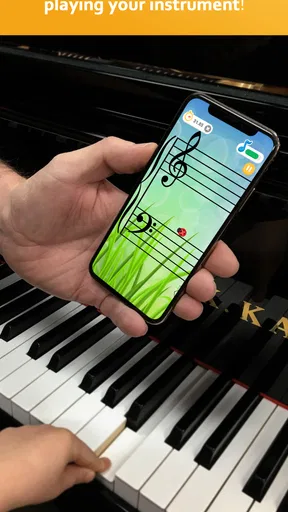
When I decide whether a music-reading game is worth adding to a practice routine, I look beyond whether it can name notes. I want a reason to pick up my instrument, a clear connection between seeing a symbol and producing its sound, and practice that fits into an ordinary day. Note Rush is built around that practical link: you read a note, play it, and get feedback from the device listening to you. That makes it more hands-on than a quiz that only asks you to tap an answer.
What kind of practice are you looking for?
This is a focused tool for recognizing notes on a staff, not a complete music course. If your main hurdle is pausing to work out each written pitch, the play-and-check loop gives you a direct way to practise that skill. If you are looking for lessons in rhythm, harmony, technique, or how to interpret a whole piece, you will need other materials as well. I would treat it as a short, repeatable exercise rather than a replacement for a teacher or a structured course.
The distinction matters when choosing between the usual alternatives. Flashcards and note-naming quizzes can be convenient, but they do not require you to turn a written note into a sound on your instrument. A method book offers broader instruction and context, while lessons can respond to your playing in a way an app cannot. Note Rush fits between those approaches: more active than a recognition quiz, but deliberately narrower than a full learning programme.
Why playing the answer changes the exercise
The microphone-based feedback makes the task feel closer to sight-reading than simply selecting a letter. You must identify the note and then find it on your instrument, so the exercise can reveal a different kind of hesitation: perhaps you know the note’s name but are not yet sure where it sits under your fingers. That is a useful distinction to notice. I would resist rushing just to get through prompts; pausing briefly to say the note name before playing can help expose whether the difficulty is reading, recall, or locating the pitch.
There is a practical trade-off, too. The app’s judgement depends on hearing the instrument clearly enough, so a quiet spot and a little care with background sound can make practice less frustrating. If the room is busy, or other people are playing nearby, I would use a printed exercise or silent note-naming drill instead and return to the microphone-based session later. That is not a flaw unique to this kind of practice, but it does affect when this particular approach is convenient.
A routine that makes the practice useful
For a realistic everyday use, I would set aside a few minutes before a lesson or before working on a new piece. I might first choose a narrow note range that overlaps with the music I am learning, then practise until I can respond without repeatedly stopping to decode the staff. Afterward, I would open the score and look for those same notes in context. The app can help make individual pitches more familiar; the score is still where I test whether that recognition holds up in actual music.
It can also work well as a low-pressure warm-up for a student who already has an instrument nearby. A parent or teacher can suggest a specific clef or note range, then let the learner work through a brief session independently. I would not turn it into a race or treat a session’s result as a verdict on musical ability. The more useful question is whether the player is becoming quicker and more confident at recognizing the notes they are practising.
Who is likely to enjoy it—and who may not
I can see this being especially helpful for beginners who have started learning an instrument and need regular exposure to notation, as well as returning players who want to refresh note recognition. Its adjustable practice areas make it easier to work on a particular clef or range rather than spending every session on material that is already comfortable. The playful themes may also help younger learners stick with a task that can otherwise feel repetitive, although the game element is most valuable when it supports practice instead of distracting from it.
I would look elsewhere if your priority is learning to play an instrument from the beginning, reading rhythms, understanding theory, or receiving detailed feedback on musical expression. It is also a less convenient choice when you cannot make sound or use a microphone comfortably. A book, quiet written exercise, teacher-led session, or broader learning app may suit those needs better. The right comparison is not “which one does everything?” but “which one addresses the skill I am working on today?”
Price, platform, and the decision to keep it
Note Rush is a paid music game from Thomas Grayston Software, listed at $8.99, with an Everyone age rating. It has a 4.2 average from around 450 ratings, and more than 10,000 installs. It first appeared on August 5, 2016; version 2.01.4 is the current release, and the listed minimum operating-system requirement is 7.0. Those details make it worth checking that your device can run it before buying, particularly if you are installing it on an older device.
Because this is a focused practice aid rather than an all-purpose music tutor, I would judge the purchase by how often you expect to use its specific note-reading exercise. If you already know that identifying notes is slowing down your practice, the direct instrument feedback may justify paying for a dedicated tool. If you are not sure whether you will practise regularly, start by noticing how often note reading interrupts your current lessons or pieces. That gives you a concrete way to decide whether a specialist exercise is likely to earn a place in your routine.
Switching away is not complicated in principle, but changing practice methods can interrupt consistency. If you move from app prompts to a book or another quiz, keep the target skill the same for a while: practise the same clef and a comparable range, then see whether you can still recognize notes when they appear in a real score. Conversely, if you move from a book to Note Rush, use it to reinforce the note-reading work rather than expecting it to teach everything the book covers. Keeping that boundary clear makes the tool easier to evaluate fairly.
Before settling into a session, I would also check the surroundings and the instrument you plan to use. A clear sound makes the listening step more useful, and choosing a suitable range can prevent a beginner from being thrown into notes that are far beyond the current lesson. These small choices are more valuable than simply trying to practise for longer: a short session aimed at one weak area is easier to repeat and easier to connect to the music you are learning.
One question people often have is whether it is suitable for complete beginners. I think it can be, provided they already have enough guidance to know how to produce notes on their instrument and are learning the relevant staff. The app can make note recognition more active, but it cannot explain every musical idea or correct posture and technique. Another sensible question is whether it can replace lessons; I would not use it that way. Its strongest role is targeted repetition between lessons or alongside independent study.
For teachers, the useful angle is the ability to direct a student toward a particular reading area, then let them practise hearing and producing those pitches. For families, the game framing can make short practice less like another worksheet. In both cases, I would keep the follow-up simple: ask the learner to find similar notes in a piece or exercise. That transfer is a better sign of progress than completing prompts alone.
Have you ever felt overwhelmed trying to learn to read music? Well, you’re not alone, and that’s where Note Rush comes into play. This nifty app is like a personal music tutor right in your pocket, helping you transform those daunting notes on the staff into familiar friends.
Getting Started with Note Rush
Downloading and setting up Note Rush is a breeze. Available on both Android and iOS, it’s perfect for musicians of all ages. Once installed, the app greets you with a cheerful interface that’s both inviting and intuitive. You won't need a manual to get started, as everything feels naturally placed. The app is designed to make learning fun, so whether you’re a beginner or just brushing up, it’s got you covered.
How It Works
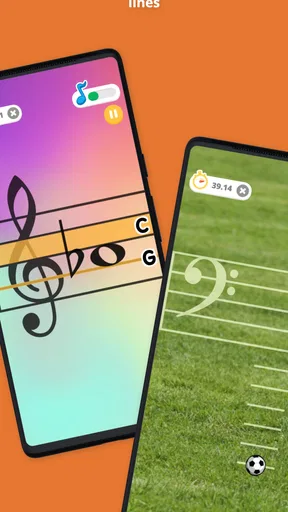
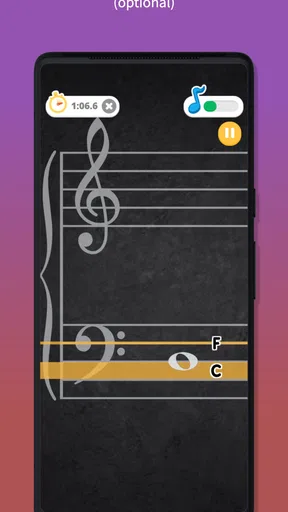
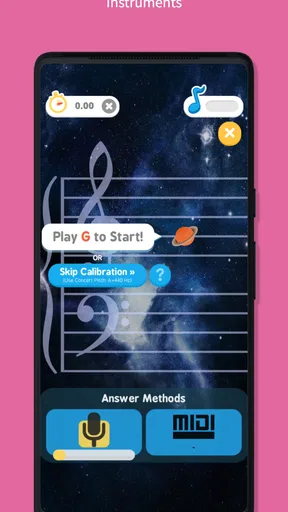
The concept is simple yet effective. The app displays a note on the staff, and your task is to play the corresponding note on your instrument. What’s cool is that it uses your device's microphone to listen and judge if you've played the right note. This real-time feedback is fantastic, allowing you to correct mistakes on the fly.
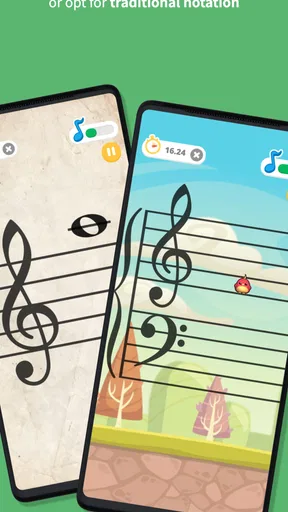
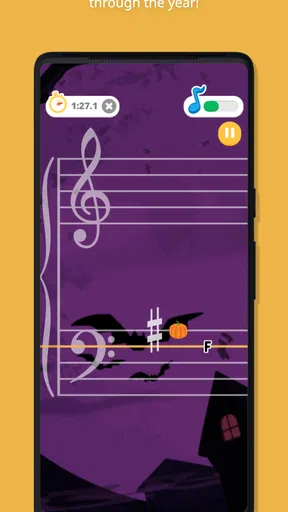
One of the standout features is the variety of levels and themes. You can choose from different note ranges and clefs, making it adaptable for various learning stages. Plus, the themes add a playful twist by turning note reading into a game. Suddenly, practicing scales becomes an adventure through space or a treasure hunt under the sea!
Engaging Features
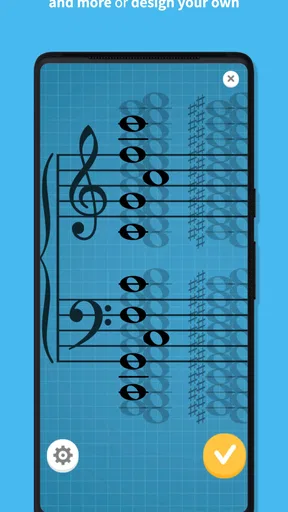
One thing that makes Note Rush shine is its adaptability. You can customize your practice sessions to focus on specific areas where you need improvement. Need to work on your bass clef reading? No problem. Want to challenge yourself with treble clef sharps and flats? It's all doable. This level of customization ensures that the app grows with you as your skills develop.
The app also supports multiple instruments. Whether you play the piano, guitar, or even the trumpet, Note Rush has settings tailored for you. It’s like having a versatile tutor that adjusts to your needs.
What I Loved
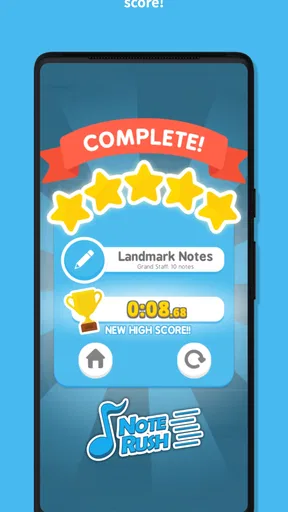
Honestly, what impressed me most was the app’s interactive approach to learning. Instead of staring at a music book, you’re actively engaging with your instrument. The instant feedback is motivating, and the progress tracking keeps you accountable. You can see how you’ve improved over time, which is both satisfying and encouraging.
The themes add an element of fun, especially for younger learners. My little cousin couldn’t stop talking about the underwater theme and how it made her practice more exciting. It’s a delightful way to keep kids interested and eager to learn.
A Few Considerations
While Note Rush is packed with features, it’s worth mentioning that it’s most effective when used alongside traditional music lessons. It doesn’t replace a teacher but acts as a fantastic supplementary tool. Also, make sure your surroundings are quiet during practice, as the app relies on microphone input to function correctly.
Another thing to note is the app’s focus on reading notes. If you’re looking for theory lessons or rhythm training, you might need additional resources.
Final Thoughts
In a nutshell, Note Rush is a delightful, engaging, and effective app for anyone looking to improve their music reading skills. Its user-friendly design, real-time feedback, and engaging themes make learning music fun and interactive. Whether you’re a complete beginner or an experienced musician wanting to brush up on your sight-reading, this app is a valuable addition to your musical toolkit.
If you're ready to dive into the world of music reading with a splash of fun, you can download Note Rush on the App Store or Google Play. Trust me, it’s worth a try!
Verdict
Strengths of Note Rush: Learn to Read Music
- Engaging gameplay that motivates learning.
- Customizable levels to suit all skill levels.
- Visual and auditory feedback aids retention.
- Intuitive interface for easy navigation.
- Offline mode available for practice anywhere.
Limitations of Note Rush: Learn to Read Music
- Limited song library might feel restrictive.
- Occasional lag on older devices.
- No option for multiple user profiles.
- In-app purchases may be necessary.
- Ads can disrupt the learning flow.
Similar Picks in This Category
View All
Tiles Hop Music & Ball Game
AMANOTES PTE. LTD.4.3

Magic Tiles 3™ - Piano Game
AMANOTES PTE. LTD.4.6

Real Piano
Bilkon3.7

Piano Game: Classic Music Song
Dream Tiles Piano Game Studio4.0

Smash Colors: Music Ball Rush
BADSNOWBALL HONGKONG LIMITED4.2

Piano Music Go-EDM Piano Games
Joy Journey Music Games4.5
Frequently Asked Questions
What is Note Rush and how does it help with learning music?
Note Rush is an interactive app designed to help users improve their music reading skills. It provides a fun and engaging way to recognize musical notes quickly through various game-like exercises. The app adapts to different levels, making it suitable for beginners and experienced musicians alike, enhancing both speed and accuracy in note reading.
Is Note Rush suitable for beginners or only advanced musicians?
Note Rush is designed for all skill levels, from beginners to advanced musicians. It offers customizable settings that allow users to adjust the difficulty according to their current proficiency. Beginners can start with basic notes, while advanced users can challenge themselves with more complex exercises, making it a versatile tool for music education.
Does Note Rush support both piano and other musical instruments?
Yes, Note Rush supports a variety of instruments. While it is commonly used for piano, the app can be adjusted to cater to other instruments as well. Users can select the appropriate clef and range to match their instrument, whether it’s a violin, flute, or any other, ensuring a personalized learning experience.
Can Note Rush be used offline, or does it require an internet connection?
Note Rush can be used offline, allowing users to practice and improve their music reading skills without needing an internet connection. This feature makes it convenient for users to train anywhere, whether they are at home, traveling, or in places without reliable internet access.
Are there in-app purchases or additional costs in Note Rush?
Note Rush offers a one-time purchase model without recurring subscriptions or mandatory in-app purchases. However, there might be optional in-app purchases for additional features or content. It's recommended to check the app details on the store page for the most current pricing and features available.
Play our best games!


